Download TikTok videos and photo slideshows on your iPhone and iPad without the watermark. Paste a TikTok link below in Safari, or get the PocketTok app to save straight from TikTok's share menu into your camera roll.
Your video is ready
No watermark in the usual case: this is the file TikTok plays in its own app.
Don't want to wait? The PocketTok app saves TikToks with no wait, straight from TikTok's share menu.
Next time, skip the copy and paste
With the PocketTok app, share a TikTok straight to Pocky's pocket. On iPhone, one more tap puts it in your camera roll, and every save stays in a library you can search.
Free, no login. Works with public TikTok videos and photo slideshows. Download only what you have the right to keep.
How to save a TikTok video to your iPhone camera roll with the app
Install PocketTok from the App Store. It's free.
Copy the video's link. In TikTok, tap Share on the video, then Copy link.
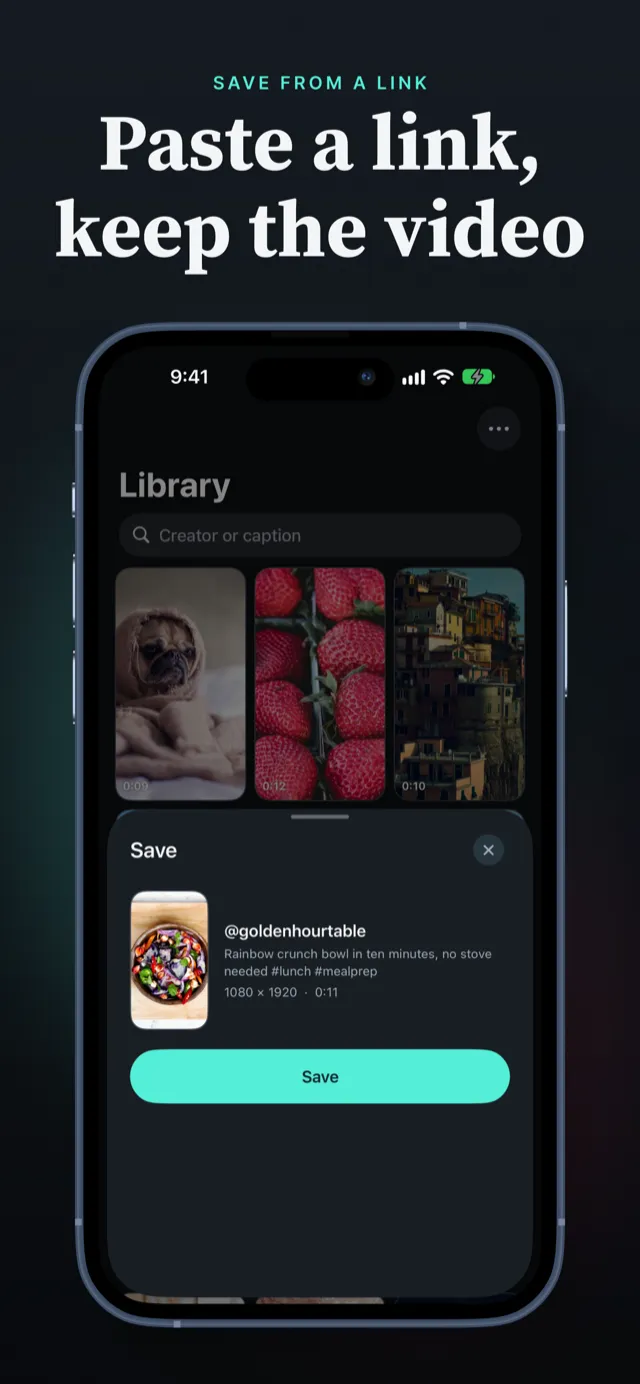
Open PocketTok. It finds the copied link and shows the video. The first time, iOS asks whether PocketTok may paste; tap Allow Paste.
Tap Save. The video is saved to your PocketTok library.
Tap ••• › Download on the video to add it to Photos. You'll find it in your camera roll under Recents.
In the library, you can also touch and hold any saved video and choose Download.
No app? Use the downloader in Safari
Paste the TikTok link into the box at the top of this page and tap Download MP4. Safari saves the video to Files › Downloads; to move it into Photos, open it there, tap Share and choose Save Video. The app does all of that in one tap.
Share a TikTok straight to PocketTok
You don't have to copy anything. In TikTok, tap Share, then More to open the iPhone share sheet, and choose PocketTok in the row of apps or Save to PocketTok in the list below it. PocketTok opens and saves the video. If PocketTok isn't in the row, scroll to the end, tap More and add it to your favorites.
Keep a TikTok as an MP4 file
Open the saved video, tap Share, then Save to Files. The MP4 goes to iCloud Drive or your iPhone, and from there to a Mac or PC. AirDrop and Messages work from the same menu.
Watch your downloads like a feed
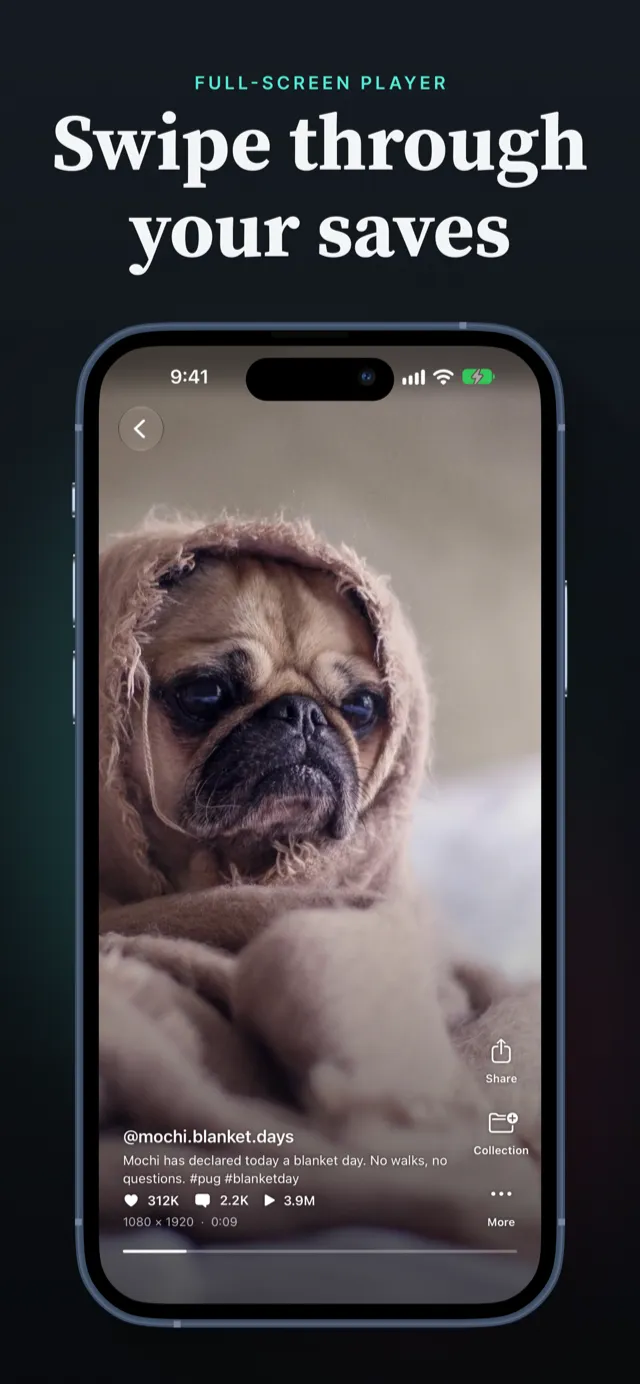
Saved TikToks play in a full-screen feed you swipe through, like the app you saved them from, but without an internet connection and without anything disappearing. Group them into collections, search by creator or caption, and sort by date, size or creator.
With PocketTok Pro, videos can replay automatically, keep playing in Picture in Picture when you leave the app, and play their sound in the background.
Subtitles for saved videos
When a TikTok has its own subtitles, PocketTok keeps them with the video, and you can turn them on while you watch. On iOS 26 or later, PocketTok Pro can also create subtitles on your device for videos that don't have any, without uploading the audio anywhere.
Slideshows on iPhone
Photo slideshows save the same way. PocketTok keeps every photo in order and plays them with the slideshow's music; Download adds every photo to Photos at once. More on the TikTok slideshow downloader page.
iPhone questions
Why does TikTok's own Save video add a watermark?
+
Videos saved with TikTok's Save video button get the TikTok logo, the creator's username and an end screen burned in. PocketTok saves the file TikTok plays in the app instead, which normally has none of them.
Does PocketTok need access to my photo library?
+
Only when you tap Download, and only to add the photos and videos you chose. PocketTok asks for add-only access, so it can't see or read anything already in your library.
Which iPhone and iOS version do I need?
+
Any iPhone or iPad that runs iOS 18 or later.
Can I save a TikTok as an MP4 file on iPhone?
+
Yes. Open the video in PocketTok, tap Share, then Save to Files. The video is saved as an MP4 file you can move to a computer or a cloud drive.
Why does my iPhone ask to allow pasting?
+
iOS asks every app before it reads a copied link. Tap Allow Paste and PocketTok shows the video you copied. To stop the question, open Settings › Apps › PocketTok › Paste from Other Apps and choose Allow.
Does PocketTok work on iPad?
+
Yes. PocketTok is a universal app: it works in any orientation on iPad, in Split View too, and your downloads are just as easy to watch on the bigger screen.