Download TikTok videos and photo slideshows on your Android phone without the watermark. Paste a TikTok link below in Chrome, or get the PocketTok app to save straight from TikTok's share menu into a library you can watch offline.
Your video is ready
No watermark in the usual case: this is the file TikTok plays in its own app.
Don't want to wait? The PocketTok app saves TikToks with no wait, straight from TikTok's share menu.
Next time, skip the copy and paste
With the PocketTok app, share a TikTok straight to Pocky's pocket. On iPhone, one more tap puts it in your camera roll, and every save stays in a library you can search.
Free, no login. Works with public TikTok videos and photo slideshows. Download only what you have the right to keep.
How to download a TikTok video on Android with the app
Install PocketTok from Google Play. It's free.
Share the video to PocketTok. In TikTok, tap Share, then More, and pick PocketTok from the Android share menu.
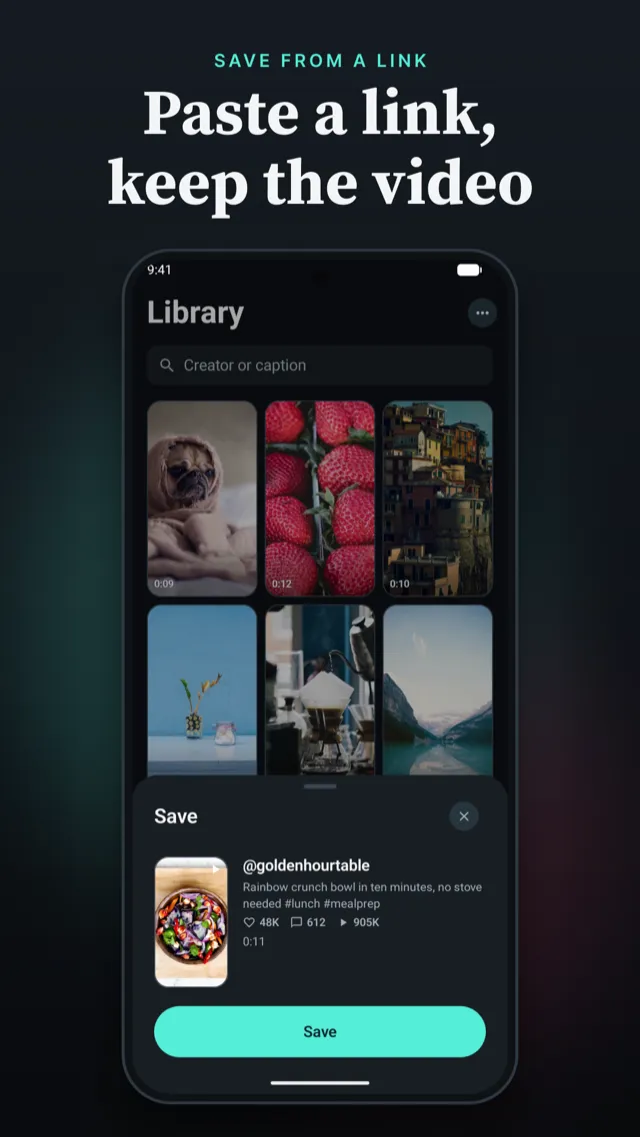
Watch it save. PocketTok opens, shows the video with its creator and caption, and saves it to your library.
Or copy the link
In TikTok, tap Share › Copy link, then open PocketTok. It finds the copied link and offers the video; tap Save. You can also paste a link into PocketTok yourself.
Or download in your browser
Nothing installed? Paste the TikTok link into the box at the top of this page and tap Download MP4. The video goes to your Downloads folder, where Google Photos and the Files app can find it.
Send the video anywhere
Every saved TikTok is a real video file on your phone. Open it in PocketTok and tap Share to send it to Google Drive, the Files app, a chat or an email. Photo slideshows share as a set of photos.
More than a download folder
Downloads from a website end up as loose files in a Downloads folder. PocketTok keeps each TikTok with its creator, caption and counts, plays them in a full-screen feed you swipe through, and lets you group them into collections and search them later.
PocketTok Pro removes the save limit and adds auto replay, Picture in Picture and background audio.
Android questions
Is there a PocketTok APK?
+
Install PocketTok from Google Play only. We don't publish APK files, so an APK offered on another site isn't ours and may not be safe.
Which Android version do I need?
+
Android 8.0 or later.
Where are downloaded TikTok videos stored on Android?
+
In PocketTok's own library on your phone, so they play without an internet connection. To keep a copy somewhere else, open the video, tap Share and send the file to Google Drive, Files, a chat or any other app.
Does PocketTok remove the watermark on Android?
+
Yes, in the usual case. PocketTok saves the file TikTok plays inside its app, which has no watermark and no end screen. For the rare post where TikTok only offers the watermarked file, you get that one.
Can I stay in TikTok while PocketTok saves?
+
By default PocketTok opens after you share a video and saves it right away. PocketTok Pro can turn that off: sharing then only queues the link, you keep scrolling TikTok, and everything you queued saves the next time you open PocketTok.